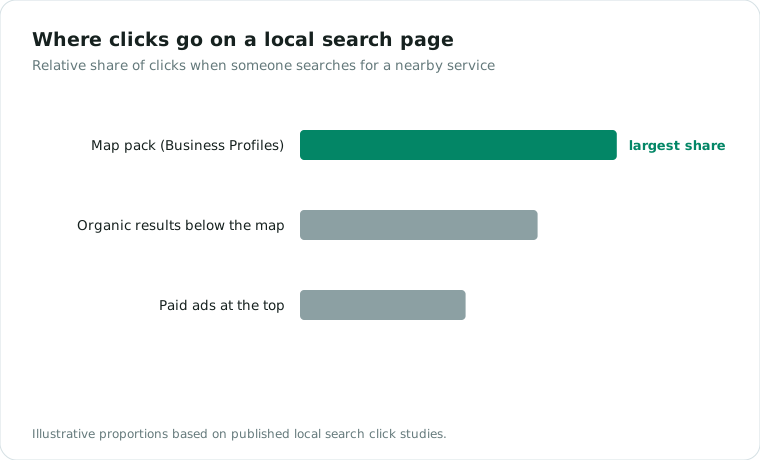
When someone searches “plumber near me” or “bakery in your town,” the map results at the top of the page get most of the clicks. Those results are Google Business Profiles, and appearing there costs nothing except doing the setup properly.
Most profiles are half-finished. That is the opportunity. Here is the full setup, in the order that matters.
1. Claim and verify
Search your business name on Google. If a profile already exists, claim it at business.google.com rather than creating a duplicate. Verification usually happens by video, phone, or a mailed postcard. Do not skip this; an unverified profile barely appears anywhere.
2. Get the category right
Your primary category is the strongest ranking signal you control. Be specific: “Roofing contractor” beats “Contractor,” and “Family law attorney” beats “Lawyer.” Add secondary categories for every real service line, and nothing you do not actually offer.
3. Make your name, address, and phone number consistent everywhere
Google cross-checks your profile against your website, directories, and social pages. If your address is written three different ways across the internet, Google trusts all of them a little less. Pick one exact format and use it everywhere, including your website footer.
4. Fill in every field, honestly
Hours (including holidays), services with descriptions, service area, attributes, opening date. Write the business description for a human in your town, not for a keyword counter. Profiles with complete information get dramatically more calls and direction requests than sparse ones.
5. Add real photos, then keep adding them
Profiles with photos get more clicks, full stop. Real photos of your work, your team, and your premises outperform stock photography every time. Add a batch at setup, then a few every month. Recency counts.
6. Build reviews like a habit, not a campaign
Reviews are the second-strongest ranking factor and the strongest conversion factor. The system that works:
- Ask every happy customer, at the moment they are happiest, usually right after the job is done.
- Make it one tap: Google gives you a direct review link you can text or email.
- Reply to every review, good and bad, within a few days. Replies signal an active business to both Google and readers.
Never buy reviews or trade discounts for them. Google filters for it, and the penalty costs more than the reviews were worth.
7. Post occasionally
Profile posts (offers, updates, photos of recent work) keep the profile active. A short post every week or two is plenty. An active profile beats a stale one at equal review counts.
What to expect
With a complete profile, real photos, and a steady review habit, most local businesses see measurable movement in map visibility within one to three months. Competitive categories in bigger cities take longer and benefit from the same work applied to your website’s local pages.
Want to know where your profile stands today? Our free audit includes a Google Business Profile check with specific fixes, ranked by impact.